



Ultra-Slim NVMe SSD Enclosure: USB-C Guide for Apple
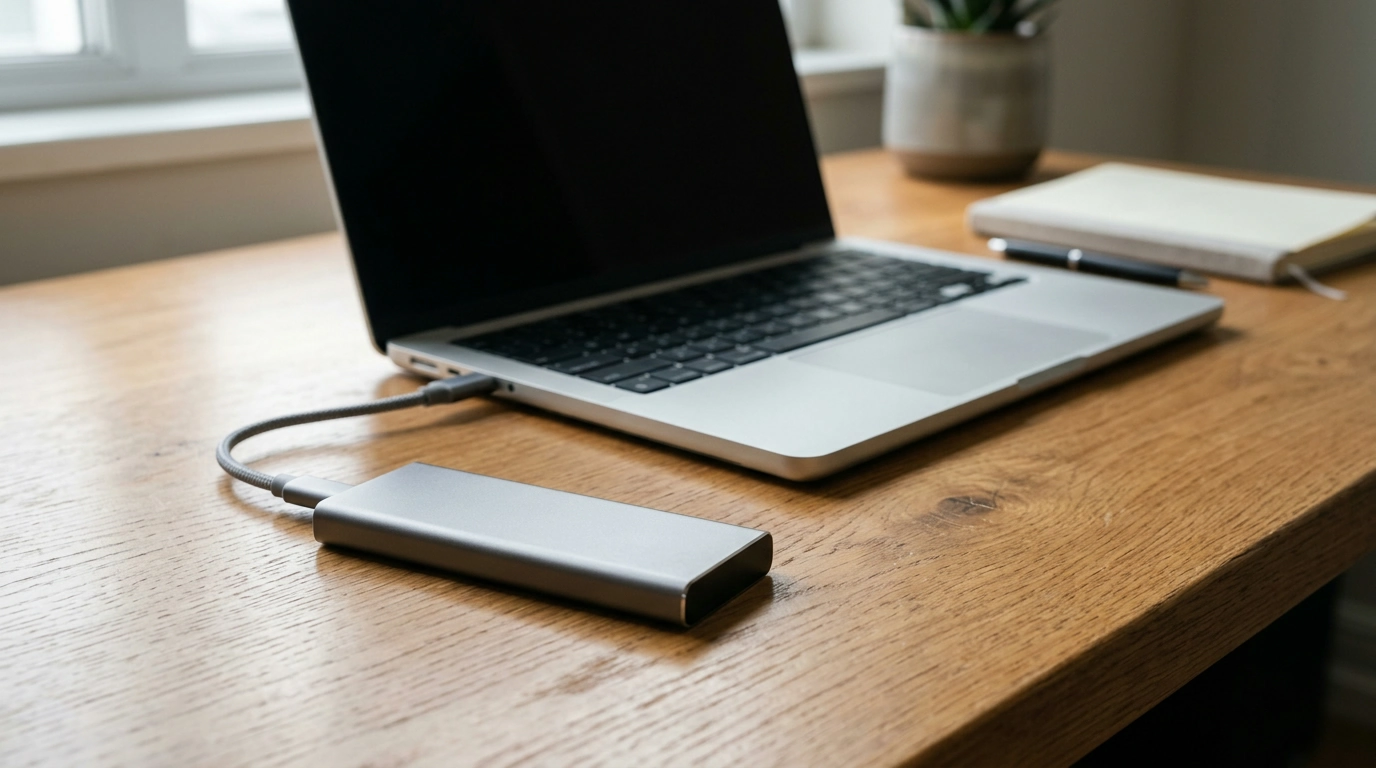
A portable SSD setup starts with the right housing. Our Ultra-Slim M.2 NVMe SSD Enclosure gives you a compact way to connect a compatible internal drive to an Apple device over USB-C. Its slim design fits a portable setup, while its stated 10Gbps interface provides a useful reference when you compare your drive, cable, and host device.
A Compact Home for Your NVMe SSD
An internal M.2 NVMe SSD is designed to fit inside a computer, but an enclosure lets you use a compatible drive externally. Once the SSD is installed, the enclosure connects it to a compatible device through USB-C, making the drive accessible without opening the computer.
That can be useful when you want to carry project files between workspaces, keep a collection of media close at hand, or add storage that is accessible when connected. You can also move files between compatible devices, provided the drive uses a file system those devices can read and write.
We like a slim enclosure for setups that move from desk to desk. It gives you a way to carry an SSD alongside your other accessories without committing to a larger external storage setup. You can choose a compatible drive based on the capacity and performance you need.
What 10Gbps USB-C Means
The enclosure’s 10Gbps figure is its stated interface speed, not a promise that every file will transfer at that rate. Data moves through several parts of your setup, and the slowest relevant component or connection can limit the result. The size and number of files also matter: moving many small files can behave differently from transferring one large file.
USB-C describes the connector, not a guaranteed data speed. Two ports or cables that look alike may support different capabilities, so check the specifications of each part. For more background on USB standards, see the USB 3.2 specification information.
| Factor | What to check |
|---|---|
| Host device | Check the data speed supported by its USB-C port. |
| Cable | Use a USB-C cable rated for the desired data speed. |
| SSD | Check its NVMe compatibility and performance specifications. |
| Workload | Expect results to vary with file sizes and transfer conditions. |
If your computer’s port or cable supports a lower data speed, you should not expect the enclosure’s interface rating to override that limit. Likewise, an SSD’s advertised performance is not necessarily the speed you will see when it is used through an external enclosure.
Check Compatibility Before You Buy
Start with the drive interface. M.2 describes a physical form factor; it does not, by itself, mean a drive uses NVMe. For this enclosure, confirm that your SSD is an M.2 NVMe drive rather than assuming every M.2 SSD will work.
Next, compare the drive’s physical size and capacity with the enclosure’s supported specifications. Those details matter whether you are buying a new SSD or planning to reuse one you already own. Also verify the Apple device’s port and operating-system requirements, and make sure you have a suitable USB-C cable for the connection.
Do not assume an SSD or cable comes with the enclosure. Review the package contents on the product page so you know what you need before you begin. If you plan to share the drive among different devices, consider their file-system support as well as their physical connections.
Prepare and Use Your Drive
Follow the enclosure’s installation instructions to fit your compatible SSD, then connect the assembled drive to your device. A new or repurposed SSD may need to be initialized and formatted before you can use it. Formatting erases existing data, so back up anything you need from a previously used drive first.
On a Mac, Disk Utility can help you manage the drive and select a file system suited to the devices you intend to use. Apple’s Disk Utility User Guide explains the available tools and formatting process.
When you finish working, safely eject the drive before disconnecting it. We also recommend keeping a separate backup of important files: a portable drive is convenient, but a second copy helps protect your work if a drive is lost, damaged, or accidentally erased.
Choose a Portable Storage Setup
If you want a slim USB-C housing for an M.2 NVMe drive, this enclosure offers a straightforward starting point. Match the SSD’s interface, size, and capacity to the enclosure, then verify your Apple device and cable requirements. Visit our enclosure’s product page for current price and availability before you order.
For another item from our store, you can also explore our 500ml Glass Soap Dispenser Bottle.
FAQ
Does a USB-C enclosure always transfer files at 10Gbps?
No. The 10Gbps figure is the stated interface speed; the host device, cable, SSD, and workload all affect actual transfer rates.
Will any M.2 SSD work in this enclosure?
No. Confirm that the SSD uses NVMe and that its physical size and capacity match the enclosure’s supported specifications.
How do I prepare a new SSD for use with a Mac?
Use Disk Utility if the drive needs initialization or formatting, and choose a file system appropriate for the devices you plan to use. Back up any existing data first because formatting erases it.
















Leave a comment