



How to Use a Smart Battery Charger Safely
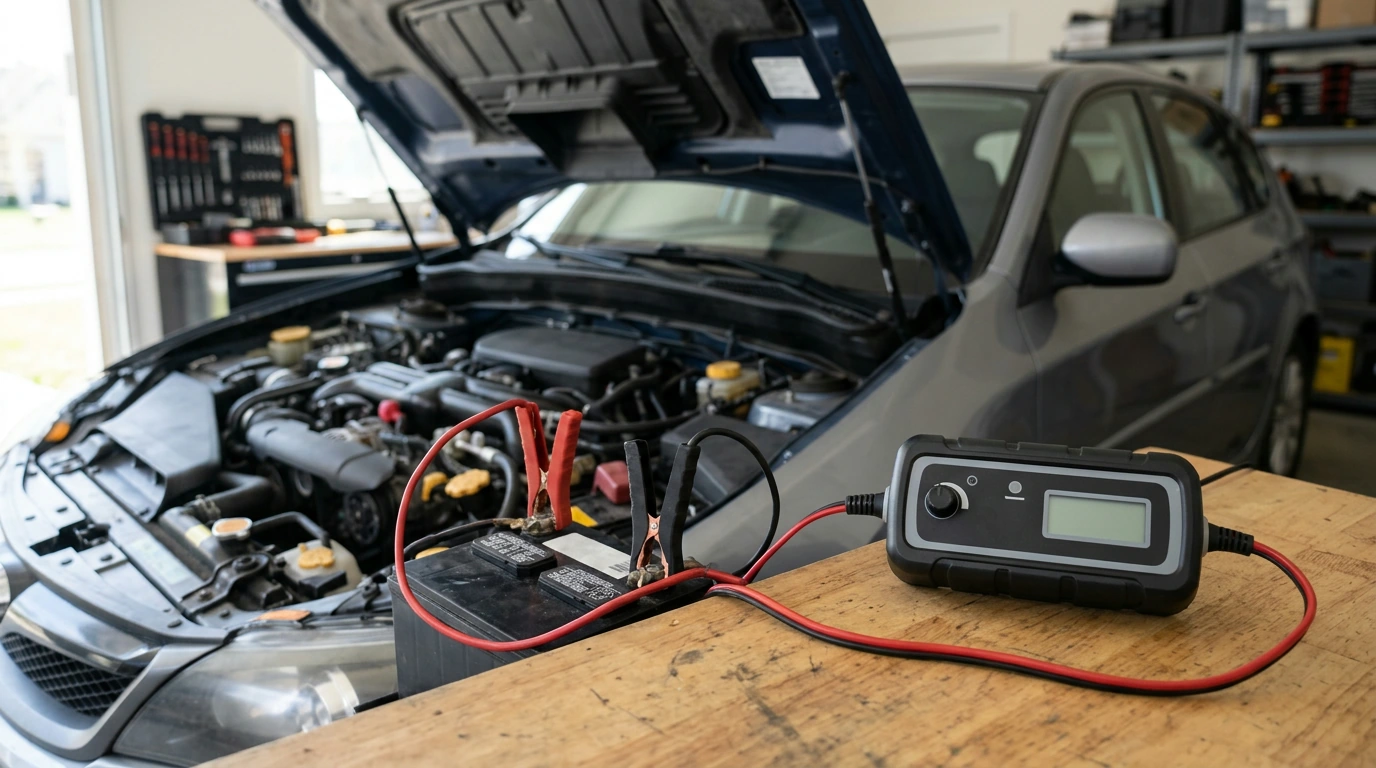
How do you use a smart battery charger?
A smart battery charger monitors the battery and adjusts its output as charging progresses. To use one safely, match the charger to the battery, connect the clamps with the charger unplugged, and select the correct charging mode. Our team recommends following the instructions for both your charger and your battery whenever they differ from these general steps.
1. Identify your battery and choose a compatible setting
Find the battery’s voltage and chemistry on its label. A 12-volt battery needs a charger with a 12-volt setting, but voltage alone is not enough: the charger must also support the battery’s chemistry. Lead-acid batteries may require a specific flooded, AGM, or gel setting. Lithium batteries need a lithium-compatible charging mode; do not use a lead-acid reconditioning mode on them.
Choose a charging current suitable for the battery’s capacity and the battery manufacturer’s recommendations. A 6-amp setting may be appropriate for some automotive batteries but too high for a small battery. Our 12V 6A battery charger compatibility and safety guide explains what to consider before connecting.
2. Prepare the charging area
Park the vehicle, turn off the ignition and accessories, and work in a well-ventilated area away from flames and sparks. Wear eye protection. Do not charge a battery that is leaking, swollen, frozen, or otherwise visibly damaged.
If the battery remains in a vehicle, follow the vehicle and charger manuals for any precautions or designated connection points. Do not disconnect vehicle wiring unless the vehicle manufacturer directs you to do so.
3. Connect the charger and start charging
With the charger unplugged from the outlet, attach the red clamp to the positive terminal. Attach the black clamp to the negative terminal or the designated vehicle ground point, as directed by the manuals. Keep the clamps from touching each other, then plug in the charger and select the correct voltage, chemistry, and current.
4. Monitor and disconnect
Watch for an error message, unusual heat, or a strong odor. Stop charging if anything seems abnormal. When the charger indicates that charging is complete, unplug it from the outlet, then remove the black clamp followed by the red clamp. A maintenance mode can help keep a compatible battery charged, but use it only as directed by the charger and battery manufacturers.
FAQ
Can a smart charger recover a completely dead battery?
Some smart chargers can charge a deeply discharged battery, but others will not start if the voltage is below their detection threshold. A damaged or worn-out battery may not be recoverable and should be tested or replaced.
















Leave a comment