



Waterproof Laptop Sleeve for MacBook: Fit & Carry Guide
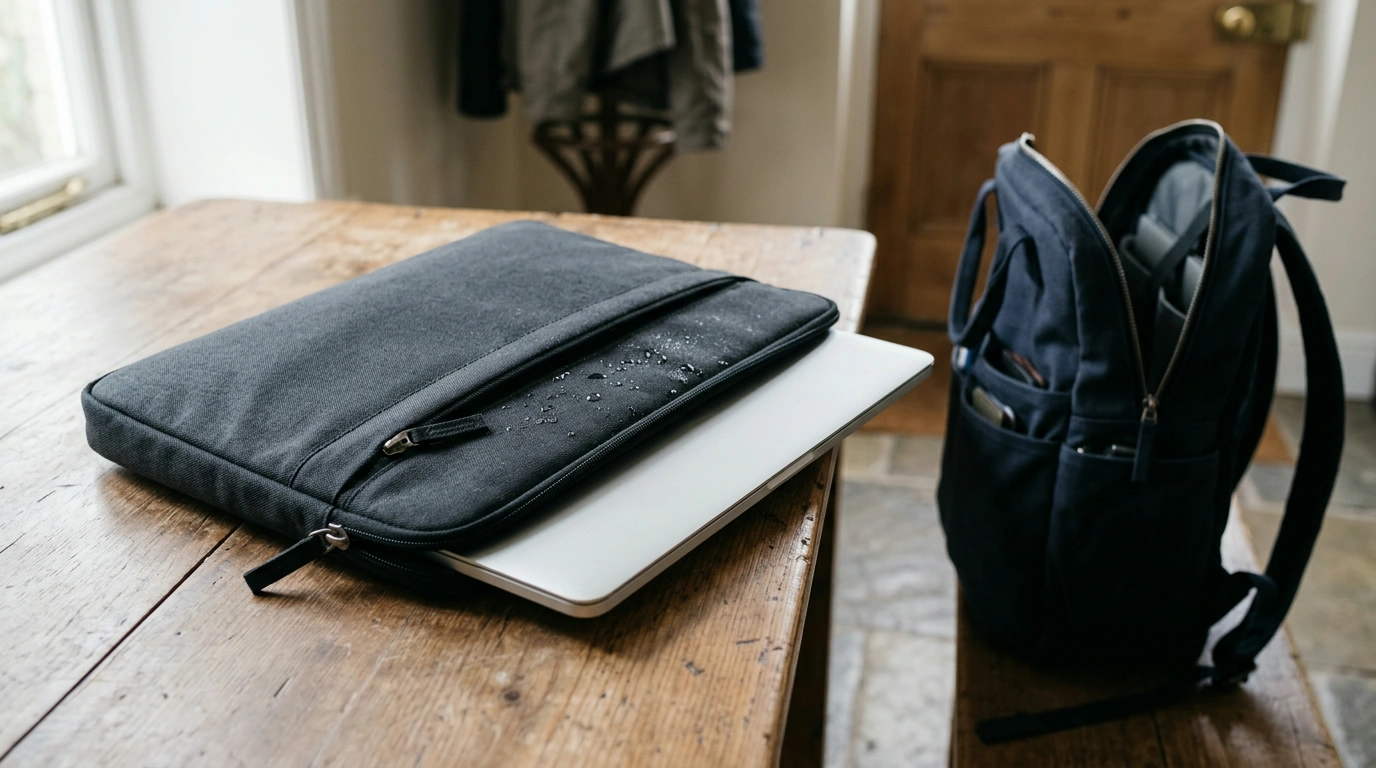
Whether you’re heading to work, class, or a coffee shop, a laptop sleeve gives you a dedicated layer between your computer and the rest of your day. Our Waterproof Laptop Bag Cover for MacBook Air/Pro 13–15.6 Inch Notebook Sleeve is an affordable option for everyday carry. Before you order, take a few minutes to compare your laptop’s exterior measurements with the sleeve’s dimensions. For more guidance, see The 5 Best Waterproof Laptop Cases.
A Simple Layer for Your Daily Routine
This waterproof laptop cover is designed for 13–15.6-inch notebooks, including MacBook Air and Pro models. It can help keep your laptop covered as you move between rooms, commute to the office, or pack for a study session. You can use it on its own for a short trip or place it inside a larger backpack or tote.
A sleeve also gives your computer a designated place in a busy bag. Instead of setting it directly alongside notebooks, chargers, and other essentials, you can keep it separated from the items you reach for throughout the day. That said, a sleeve is not a substitute for careful handling, and you should still avoid dropping or crushing your laptop.
The listed price is $10.51, making it a budget-friendly choice for a basic carry layer. Prices can change, so review the current price and availability before placing your order.
Find the Right Fit Before You Buy
Laptop screen size is measured diagonally across the display. It does not tell you the full width, depth, or thickness of the computer. Two laptops with similar screen sizes may have different exterior dimensions, and MacBook dimensions can vary by model and generation.
Measure your laptop across its widest point and from front to back, then measure its thickness while closed. Compare all three numbers with the sleeve’s dimensions. If you use a protective shell, measure the laptop with the shell installed rather than relying on the computer’s bare dimensions.
| Check | What to look for |
|---|---|
| Screen size | The listing covers 13–15.6-inch notebooks. |
| Laptop dimensions | Compare the device’s width, depth, and thickness with the sleeve dimensions. |
| Model details | Check the specifications for your exact MacBook Air or Pro model. |
| Extra bulk | Allow for any protective case fitted to the laptop. |
You can find dimensions for your exact model through Apple Technical Specifications. If the sleeve dimensions are not available or you cannot confirm the fit, resolve that question before ordering rather than assuming that the screen-size range guarantees compatibility.
Use Your Sleeve for Everyday Carry
Start with a closed laptop and slide it into the sleeve before putting it in your backpack or tote. Secure the closure for transport, then place the covered laptop where it will not be squeezed by the rest of your belongings. A dedicated laptop compartment can make it easier to keep the sleeve in place.
Keep chargers, keys, water bottles, and other hard or bulky objects from pressing against the computer. Pack them separately when you can, and avoid overfilling the bag. A sleeve adds a layer of coverage, but it does not make a laptop immune to pressure or impact.
The waterproof description is a reason to add coverage to your routine, not a promise that your laptop can be submerged or exposed to water indefinitely. Avoid placing the sleeve in standing water, and take extra care around open drinks and heavy rain. If you need protection for prolonged exposure to water, choose equipment with a clearly stated rating suitable for that use.
For a commute that includes plenty of walking, you might also want comfortable footwear. Our Diadora Men’s Sneakers are another in-stock option to consider as you prepare for your daily route.
Keep Your Laptop and Sleeve Ready to Go
If the sleeve gets wet, dry its exterior and check that your laptop is dry before putting either item away. Let the sleeve dry fully before storing it or returning the laptop to it. This gives you a chance to notice moisture that may have reached the inside.
If liquid contacts your laptop, follow the manufacturer’s care guidance for your device. Avoid assuming that a dry-looking exterior means every opening or surface is dry. When in doubt, consult the manufacturer’s support instructions before using the computer again.
Our team recommends reviewing the product page for current availability, price, and fit details before you buy. A few measurements now can make your everyday packing routine simpler later.
FAQ
Will this sleeve fit my MacBook Air or MacBook Pro?
The listing identifies MacBook Air and Pro models and covers 13–15.6-inch notebooks. Compare your exact laptop’s exterior dimensions with the sleeve dimensions before ordering.
Can I put a laptop with a protective case inside the sleeve?
It depends on the combined dimensions of your laptop and case. Measure the laptop with the case fitted and compare those measurements with the sleeve dimensions.
Can the sleeve be submerged in water?
Do not assume the sleeve will protect your laptop underwater. It is described as waterproof, but a submersion rating has not been established.
















Leave a comment